
Digital Literacy & Online Safety
From Ideas to Visual Communication: Designing with AI
Text alone is often not enough to communicate ideas effectively. In digital communication, visuals such as images, infographics, slide decks, and posters play a key role in how audiences understand and engage with information.
Today, AI tools can support not only writing, but also visual design. They can help generate images, suggest layouts, and assist in creating publication-ready materials for social media, presentations, and campaigns.
In this section, you will explore how AI can be used as a creative partner in visual design, and how to combine text and visuals into clear, engaging, and responsible communication materials.
From Ideas to Visual Communication: Designing with AI
What Is AI-Assisted Visual Design?
AI-assisted visual design refers to the use of Artificial Intelligence tools to help create or improve visual content such as:
🪧 Posters and campaign materials
📈 Social media graphics
📊 Infographics
💻 Presentation slides
🖼️ Illustrations and concept images
📄 Layout suggestions for publications
🪄 Instead of starting from scratch, users can describe what they want, and AI tools generate visual drafts that can be refined and adapted 🪄
Popular AI Tools for Visual Creation
There are several widely used tools that support visual co-design
- Canva (Magic Design / AI tools) – creates posters, presentations, and social media graphics from prompts or templates.
- Microsoft Copilot (PowerPoint integration) – helps generate slide structures and visual layouts.
- Google Gemini (Workspace tools) – supports content structuring and visual planning.
- DALL·E / ChatGPT image tools – generate custom illustrations based on text descriptions.
- Adobe Firefly – AI-powered image generation and design support for professional visuals.
These tools are not only for designers — they are increasingly used by educators, NGOs, students, and communication teams.
How AI Supports the Design Process
AI can help with different stages of visual creation.
1. Idea generation
🔹 Suggesting visual styles (e.g., minimal, documentary, bold, artistic)
🔹 Recommending layout structures
🔹 Proposing color themes or mood directions
2. Content creation
🔹 Generating images or illustrations from prompts
🔹 Creating infographic drafts
🔹 Designing slide layouts for presentations
3. Refinement
🔹 Adjusting tone (professional, emotional, or optimistic)
🔹 Improving readability and structure
🔹 Reformatting content for different platforms (Instagram, posters, reports)
Example: From Prompt to Visual Output
📝 A simple prompt might look like this:
“Create a poster about youth volunteering with a hopeful and modern design.”
An AI tool might respond with:
- A central image of young people working together;
- Bright, optimistic colors (green, yellow, light blue);
- A clear headline like “Make a Difference Locally”;
- Space for a call to action and event details.
The outputs received after the prompt above from:
DALL·E Google Gemini
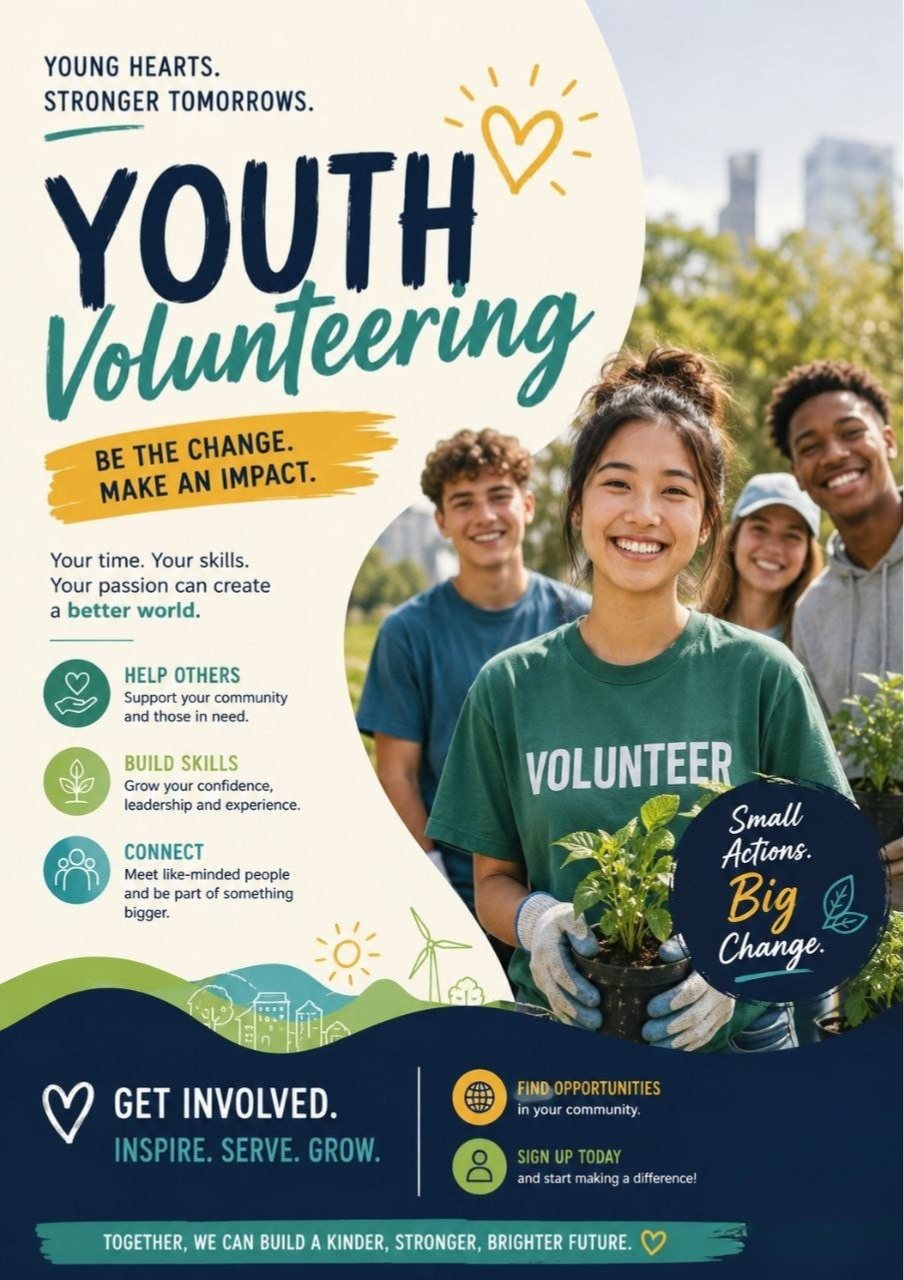
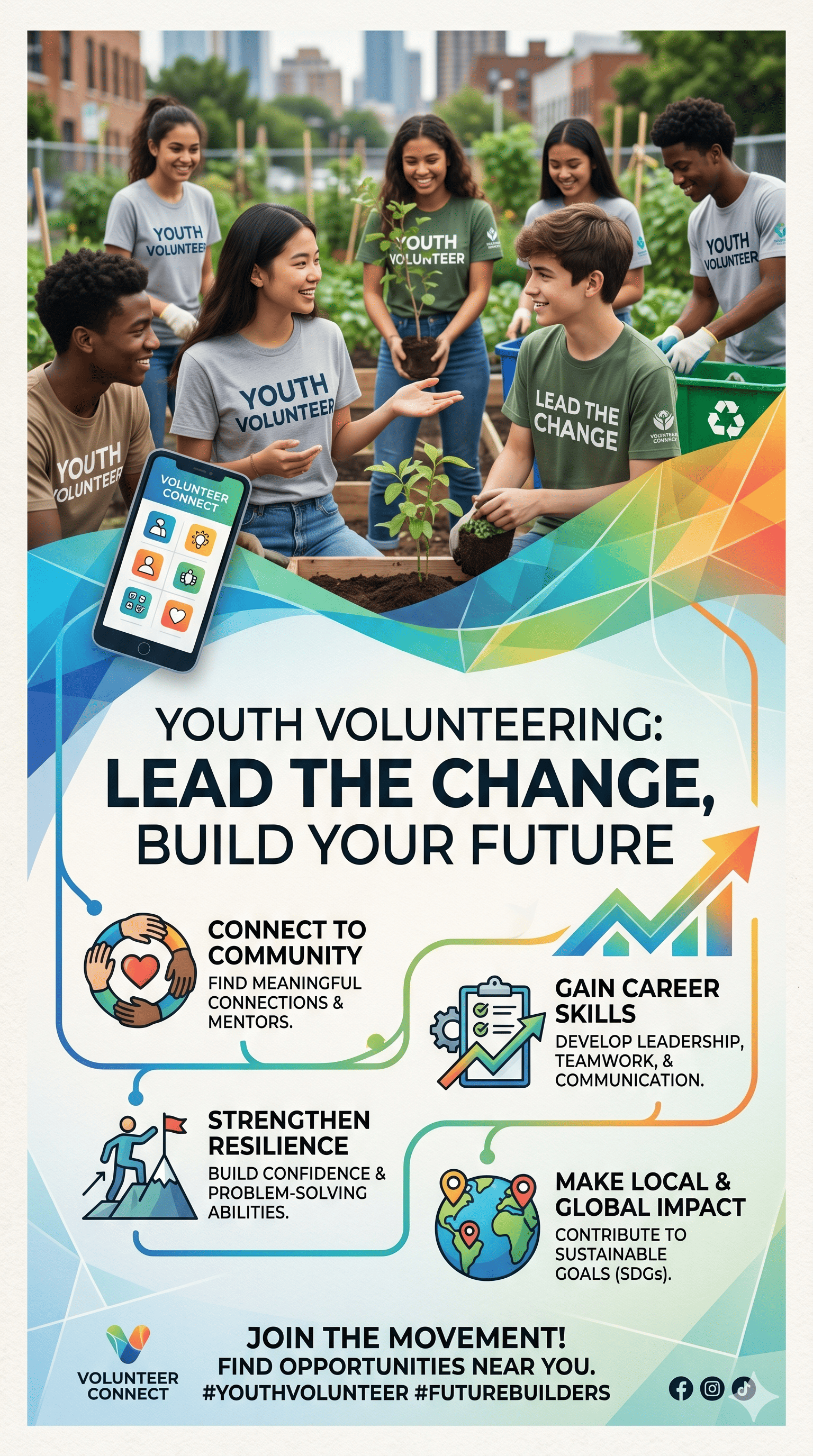
The user can then refine the result further:
- “Make it more minimalistic.”
- “Use darker, more serious tones.”
- “Add accessibility-friendly contrast.”
- “Include a QR code area for registration.”
💡 This iterative process mirrors how AI is used in text generation: draft → review → refine.
Why Visual Design Matters in Communication
💡 Visual elements are not decorative only — they influence how people understand and remember information.
Good visual communication can increase engagement with campaigns, make complex information easier to understand, strengthen emotional impact, improve accessibility for different audiences, and support clearer storytelling.
📝 For social impact projects, visuals often determine whether a message is noticed or ignored.
Ethical Considerations in AI-Generated Visuals
⚠️ When using AI for visual creation, it is important to consider:
🔸 Accuracy: Does the image reflect reality, or could it be misleading?
🔸 Representation: Are diverse groups represented fairly and respectfully?
🔸 Transparency: Should it be disclosed that AI was used?
🔸 Copyright: Does the tool use licensed or original data for generation?
🔸 Accessibility: Is the design readable for all users (contrast, font size, clarity)?
❗ AI-generated visuals should support communication — not distort or manipulate it ❗
Best Practices for Learners
🤖🖥️ When working with AI visual tools:
💬 Start with a clear message before designing visuals
📝 Use detailed prompts (style, tone, audience, format)
🤓 Experiment with multiple versions
🔍 Always review visuals for clarity and ethical concerns
✍️ Combine AI outputs with human editing and judgment
⚖️ Ensure consistency between text and visuals
Key Takeaways
✔️ AI can support creation of visuals, layouts, and presentations.
✔️ Tools like Canva, Copilot, and DALL·E help turn ideas into designs.
✔️ Visual design is essential for effective communication.
✔️ Iteration (generate → refine → improve) is key to good results.
✔️ Ethical design includes accuracy, inclusivity, and transparency.
✔️ Human judgment remains crucial for final publication-ready materials.

Shape the Future.
Mint the Change.