
SINFT TUTORIAL
Image
IMAGE
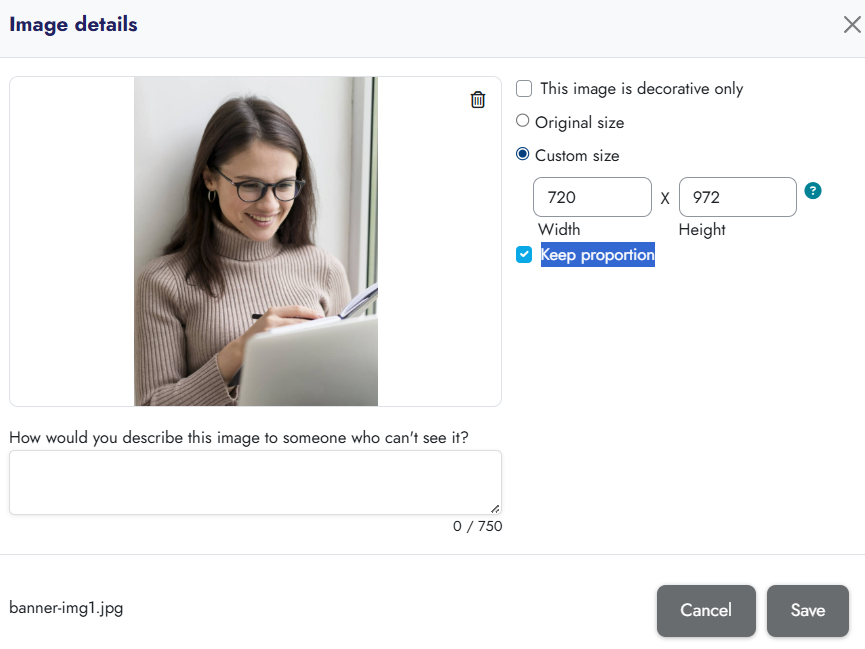
The video demonstrates the insertion and adjusting of images and this process is the same for all course elements.
Entering and formatting text is done through the TinyMCE editor, which is integrated into the platform.
Images can be inserted independently, but they are usually placed in combination with text, videos, etc. It is also possible to have multiple images within the same element.
When inserting images, regardless of the original image's dimensions, always select the "Custom size" option to manually set the image dimensions.
It is recommended that the width be between 500px and 800px, while maintaining the image proportions (ensure the "Keep proportion" box is checked).
Video (3 min watch):

Lorem ipsum dolor sit amet, consectetur, sed do eiusmod tempor incididunt ut labore et dolore magna aliqua minim.
Copyright @SINFT. All Rights Reserved.


We’re preparing something new… please check back soon!